1
Download the Gruff app
Download the Gruff Technology app from Google Play or Apple App Store. The app is free and requires no monthly fee.
2
Connect socket to Wi-Fi
Plug the smart socket into a wall outlet and follow the app instructions to connect to your Wi-Fi network. The socket operates on a 2.4 GHz Wi-Fi network.
Make sure your Wi-Fi router supports 2.4 GHz frequency. Most routers support this by default.
3
Set price limits
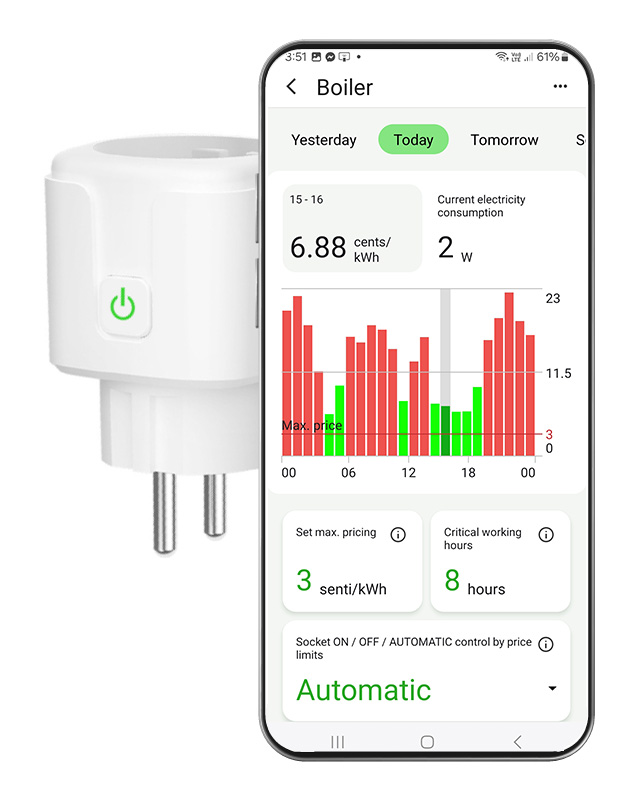
Set the maximum electricity price (cents/kWh) at which the device operates in the app. You can also set critical operating hours when the device must run.
4
Done! Start saving
The socket will automatically monitor Nord Pool prices and turn on the device only during the cheapest hours. You can see the savings immediately in the app.
Gruff app
The Gruff app is available for both Android and iOS. With the app you can:
- Monitor real-time Nord Pool prices
- Set price limits and operating hours
- View energy consumption history
- Switch devices on/off remotely
- Get notifications about price changes